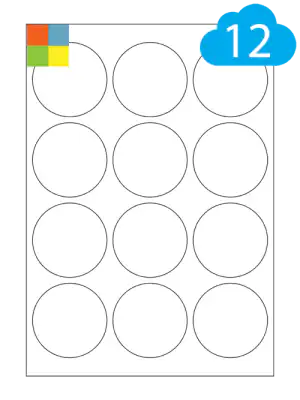
Matt white paper
64mm diameter · 12 labels per A4 sheet
A simple starting point for everyday labelling.
- Face material
- Matt White Paper
- Printer compatibility
- Laser & Inkjet Printers
- Waterproof
- No
- Adhesive
- Permanent Adhesive
- Minimum pack
- 10 sheets
CL1264R · A4 label sheets
64mm diameter · CL1264R
Choose your material, finish and adhesive. Every option below uses the same 12-up sheet layout.
Avery* template reference L7670 · Same layout across all materials
Choose a material, then select your pack size. Check printer compatibility before ordering.
6 material options
64mm diameter · 12 labels per A4 sheet
A simple starting point for everyday labelling.
64mm diameter · 12 labels per A4 sheet
For labels that need to peel away.
64mm diameter · 12 labels per A4 sheet
A recycled paper option for everyday labels.
64mm diameter · 12 labels per A4 sheet
A transparent matt finish for laser printing.
64mm diameter · 12 labels per A4 sheet
Choose from yellow, red, blue and green.
64mm diameter · 12 labels per A4 sheet
Bright colours for high-visibility labels.
Start with matt white paper for everyday labelling. Choose a waterproof material for moisture exposure, or a removable adhesive when the label needs to peel away. Match the material to your printer and check the product details for your intended use.
This size is advertised as 64mm diameter. The printing template uses 63.5mm circles; the margins and gaps below refer to that template.
Use these measurements when setting up your own label document, or download our ready-made Word and PDF templates.
| Sheet width | 210mm |
| Sheet height | 297mm |
| Label width | 63.5mm |
| Label height | 63.5mm |
| Labels per sheet | 12 |
| Labels across | 3 |
| Labels down | 4 |
| Top margin | 14.75mm |
| Bottom margin | 14.75mm |
| Left margin | 5.25mm |
| Right margin | 5.25mm |
| Horizontal gap | 4.5mm |
| Vertical gap | 4.5mm |
| Corner radius | Not applicable (round) |
Horizontal gap means the space between columns; vertical gap means the space between rows. Always test the template on plain paper first.
Choose a material compatible with your printer. Download the Word or PDF template, add your design and print at actual size (100%) with “fit to page” switched off. Test on plain paper and compare against a label sheet before printing on your labels.
Yes. The products on this page use the CL1264R size and sheet layout. The material and printer requirements vary, but the Word and PDF templates are shared.
*Avery and its product references are trade marks of the Avery Dennison Group. Cloud Labels products are not made or endorsed by the Avery Dennison Group.